EPFO Claim Status – Simple Guide to Check Your PF Claim Online
With the EPFO portal, tracking your PF claim status is quick and convenient. If you have submitted a PF withdrawal, PF transfer, or pension claim, you can check its progress online to see whether your claim is under process, approved, or settled without visiting any EPFO office.
How to Track EPFO Claim Status Online (UAN Portal)
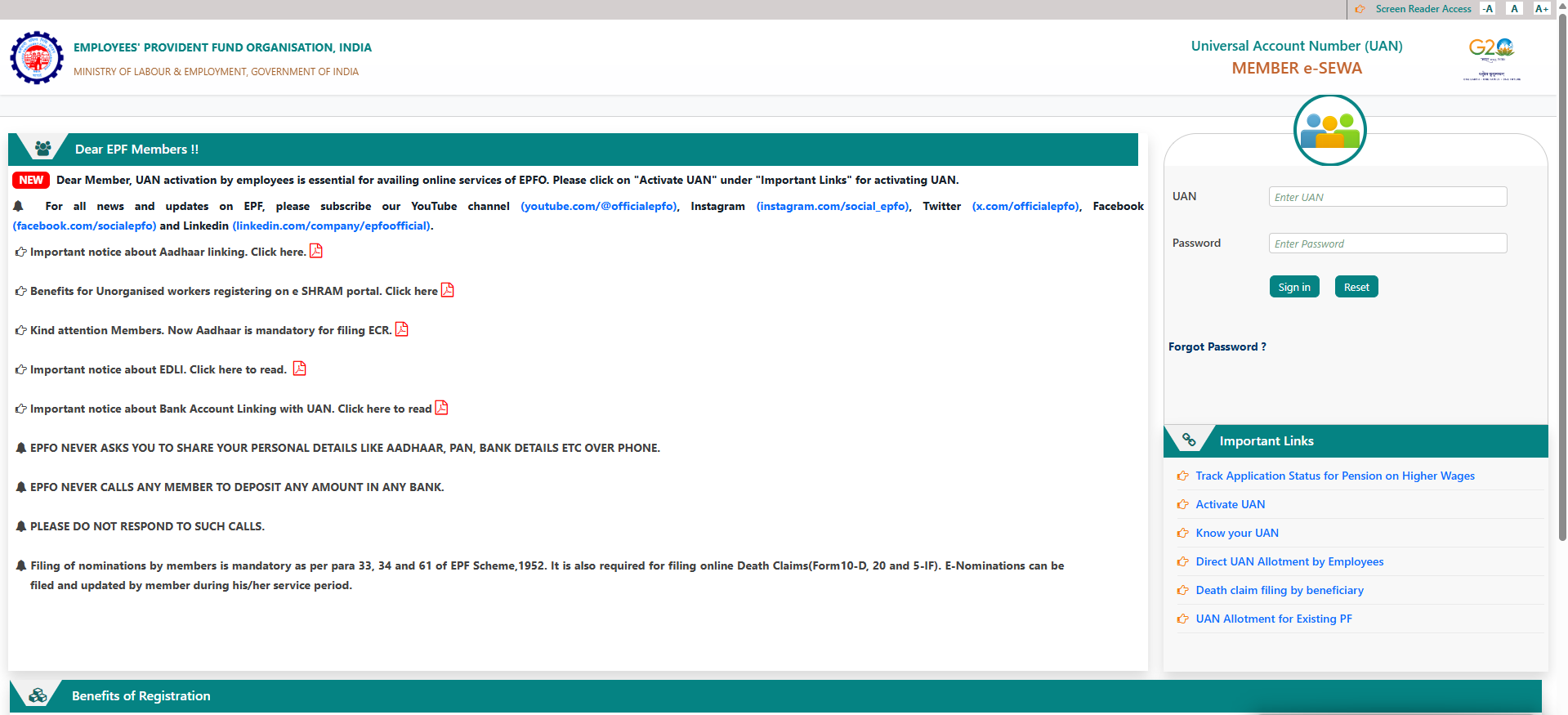
Follow these simple steps to check your EPFO claim status online:
Log in to the EPFO UAN Member Portal using your UAN and password.
After login, go to the “Online Services” section.
Click on “Track Claim Status”.
Details of all submitted claims will appear on the screen.
You can see the exact stage of your claim, such as:
Received
In Process
Approved
Settled
📌 No claim number is required if you are logged in through the UAN portal.
Other Ways to Check EPFO Claim Status
Apart from the UAN Member Portal, EPFO also provides alternative methods to track claim status.
1️⃣ UMANG App
Open the UMANG app
Select EPFO Services
Tap on “Track Claim”
Enter required details to view status
2️⃣ SMS Service
If your UAN is linked with Aadhaar and a registered mobile number, EPFO automatically sends SMS updates regarding claim status.
3️⃣ Missed Call Service
You can also get basic PF and claim details by:
Giving a missed call from your registered mobile number to 14470
Or calling the UMANG helpline 1915
Claim Status Stages Explained
| Status | Meaning |
|---|---|
| Received | Claim has been submitted successfully |
| In Process | Claim is under verification |
| Approved | Claim is approved by EPFO |
| Settled | Amount has been credited to bank account |
Why Checking EPFO Claim Status Is Important
Helps you know whether the claim is delayed or progressing smoothly
Alerts you if any document or KYC verification is pending
Gives clarity on claim approval and expected settlement time
Saves time by avoiding unnecessary visits to EPFO offices
By regularly tracking your EPFO claim status online, you can monitor PF withdrawal or transfer progress easily and stay informed at every stage.
Disclaimer
This information is for general guidance only. For official updates and claim-related decisions, always Visit EPFO portal.
EPFO Claim Status – FAQs
What is EPFO claim status?
EPFO claim status shows the current progress of your Provident Fund (PF) withdrawal, transfer, or pension claim submitted through the Employees’ Provident Fund Organisation (EPFO) portal, such as received, in process, approved, or settled.
How can I check my EPFO claim status online?
You can check your EPFO claim status by logging in to the EPFO UAN Member Portal, going to Online Services, and clicking on Track Claim Status.
Do I need a claim number to track EPFO claim status?
No, you do not need a claim number if you are logged in through the EPFO UAN Member Portal. All submitted claims are shown automatically.
What are the different EPFO claim status stages?
EPFO claim status stages include Received, In Process, Approved, and Settled, indicating the exact stage of claim verification and payment.
How long does EPFO claim settlement take?
EPFO claims are usually settled within 5–10 working days, provided all KYC details such as Aadhaar, PAN, and bank account are verified.
Can I check EPFO claim status using the UMANG app?
Yes, EPFO claim status can be checked through the UMANG app by selecting EPFO Services and tapping on Track Claim.
Why is my EPFO claim status showing “In Process”?
The status “In Process” means your claim is under verification. Delays may occur due to pending KYC approval or employer verification.
Will EPFO send SMS updates for claim status?
Yes, if your UAN is linked with Aadhaar and a registered mobile number, EPFO sends automatic SMS updates about claim progress.